
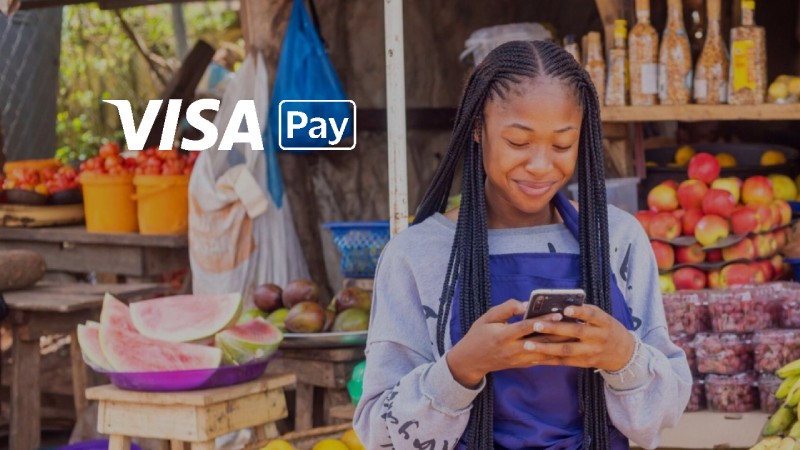
Change the way you pay and get paid
Access banking services quickly and minimize wait times.



Transact with Visa Pay and win fantastic prizes

What is the Visa Pay x FIFA 2026 campaign?
In Short
- Use Visa Pay → Earn points → Rank higher → Win prizes
Campaign Overview
- Promotion for Visa Pay users in the DRC during the FIFA World Cup (11 June – 19 July 2026)
- Every eligible transaction (min. USD 5 or equivalent in CDF) earns points automatically
- 4 competition phases aligned to the tournament (Group Stage → Final)
- Prizes awarded at each phase to top-ranked users
Participation Rules
- Open to Visa Pay users with an active, KYC-verified account
- Must be 18+ and based in the DRC
- No registration required — automatic entry after first qualifying transaction
How It Works
1. Use Visa Pay (pay, send, receive, top-up)
2. Earn points on each eligible transaction (minimum USD 5 or equivalent)
3. Accumulate points and climb the leaderboard
4. Compete to be among the top users in each phase
Winning Mechanics
- Winners selected based on points ranking at each phase
- Points reset after every phase → equal chance to win again
- More active days and consistent usage improve ranking

Send & receive money

Free virtual card

Pay online
A phone screen with the Visa Pay app
Send and receive money easily and securely to any mobile number

Banks
Video Guide
Watch our detailed video instructions to learn how it works.
Visa Pay charges
With Visa pay, send and receive payments at minimum cost.

Free Virtual Visa Card in CDF/USD
Free e-commerce payment
Free transfer from own bank account
Transfer fee for P2P payments*
Fee to top-up wallet using any DRC bank issued Visa card*
* VAT applicable.
Mobile Money Fee
for transfers from Mobile Money to Visa Pay Bank Wallet, inclusive of Mobile Money commission
(minimum $2.5) for transfers from Visa Pay Bank Wallet to Mobile Money inclusive of Mobile Money commission
FAQ
-
-
Visa Pay is a digital wallet and mobile payments solution that provides digital onboarding, seamless and instant digital payments using a virtual card, and great value.
-
-
You instantly receive a wallet and a virtual Visa card without needing to visit a bank branch. The wallet will come in two currencies. You can send & receive money via registered mobile numbers, regardless of their mobile network, and use your digital card for online purchase.
-
-
The Visa Pay app supports English and French languages.
-
-
If you are 18 and above, you can register on the Visa Pay app.
-
-
Download the Visa Pay app from the Google Play or Apple App store. All you need to register is a valid ID (e.g., Voter ID card, National ID, passport, expat ID or student card).
-
-
Yes, you can skip the identification step during registration, which will give you limited access to the app’s features. To fully transact, you must complete the KYC process later from the home screen when you have your documentation.
-
-
Most banks in the DRC participate in Visa Pay. An up-to-date list of participating banks will be available soon on the Visa Pay website.
-
-
You can select any your preferred bank directly from the Visa Pay mobile app.
-
-
No, you can register on Visa Pay without opening a new bank account.
-
-
Yes.
-
-
No, you can install the app on only one device at a time. The app authenticates with your mobile SIM. If you switch devices using the same SIM, you'll need to log in again on the second device, and the previous session will close.
-
-
Visa Pay supports multiple currency wallets. The two accounts represent different currencies, which you can manage individually within the app.
-
-
Yes, you can top up your Visa Pay wallet using a Visa Card.
-
-
Go to the Visa Pay profile section and select the link account option. A list of eligible bank accounts will appear. Send a request to add your selected account. Upon verification, it will be linked to your wallet for funding.
-
-
Press the "Send money" icon on the home screen. Then enter the recipient's mobile number or Visa Pay ID. You can also send money by scanning the recipient's QR code.
-
-
Yes you can send money who is not on the Visa Pay app but a registred mobile number. If the recipient's details are not found during transaction initiation, then you can ask them to join Visa Pay.
-
-
Yes, there are limits to the amounts that you can send. The limits are set by your Visa Pay wallet bank. To check your current limits, please contact your bank directly.
-
-
Visa Pay offers great value for money. For the up-to-date fees and charges, please visit Visa Pay website.
-
-
The Visa Pay PIN is used to protect your money and to prevent unauthorized transactions from your wallet. Remember - you should never share your PIN with anyone, and we will never ask you for your PIN outside the Visa Pay app.
-
-
Please contact your wallet bank to report any issues.